Overview
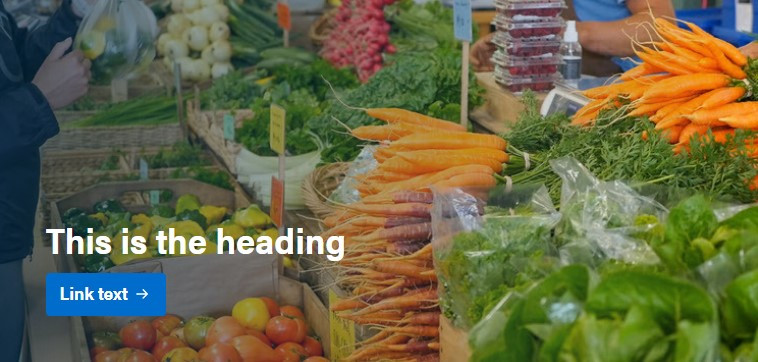
Spotlight panels are visual-centric components designed to attract attention and direct users to a specific service, page or other resource.
Design
Usage guidelines
- Spotlight panels must include an image (750 x 422 px) and a heading (H2) and a call-to-action button.
- Spotlight H2s should be kept to 75 characters (including spaces) or less and, as with other H2s, avoid periods, exclamation marks and question marks.
- The allowance for more characters on spotlight panels than in other H2s is to make spotlights more flexible for their intended use. Be aware that, if used on certain pages, longer H2s may display strangely in jump link menus.
- To ensure there is enough contrast between the H2 and the image, there is a dark gradient automatically applied as an overlay on top of the image. By default, its opacity is set to 60%, but can be reduced for images that are already dark enough to provide appropriate contrast with the text.
- Because spotlight panels use H2s, they are considered standalone sections within a page. There should not be additional content between a spotlight and the next H2.
- Spotlight panels must be linked to another page (ideally within Alberta.ca).
- Avoid reusing spotlights on multiple pages within the same collection to prevent user fatigue.
- Do not use more than one spotlight per page.
Content guidelines
- Spotlight panels should direct users to a promoted and related page or collection.
- Spotlight content should be concise and help users know what to expect when they click.
- If a spotlight cannot be understood without providing additional context, it should not be a spotlight — consider using a card instead.
- Spotlight panels are best suited for collection landing pages. Use them on child pages only when there is a strong need to direct users elsewhere.